
In the ever-evolving digital world, search engines are increasingly rewarding websites that prioritize a positive user experience (UX). Beyond technical SEO and keyword optimization, a strong UX has become a vital factor for ranking well on search engines. Let’s explore The Role of User Experience (UX) in SEO.
Understanding the UX-SEO Connection
- Search engines like Google aim to provide users with the most relevant, helpful results. UX factors, such as page speed, mobile responsiveness, and intuitive navigation, contribute to how users interact with your site.
- When visitors enjoy a seamless experience, they tend to stay longer, interact more, and return—signals that search engines interpret as indicators of a high-quality site.
Page Speed: Fast Loading for First Impressions
- Page speed is often the first impression visitors get of your website. A slow-loading page can frustrate users and cause them to leave, increasing bounce rates and hurting your rankings.
- To optimize page speed, consider using tools like Google Page Speed Insights or GT metrix to identify load-time bottlenecks. Compress images, reduce code, and leverage caching to improve performance and keep users engaged.
Mobile Responsiveness: Designing for All Devices

- With mobile-first indexing, Google places a high priority on mobile-friendly websites. A responsive design ensures your website looks and functions well on screens of all sizes.
- Mobile-responsive sites make content accessible, provide intuitive navigation, and offer a streamlined experience that reduces frustration. Use Google’s Mobile-Friendly Test to check your site’s responsiveness and ensure you meet today’s mobile UX standards.
Intuitive Navigation: Helping Users Find What They Need
- Clear, logical navigation not only helps users find content quickly but also encourages them to explore. When users can navigate your site with ease, they spend more time exploring, which increases dwell time—a metric that search engines value.
- Breadcrumb navigation and well-organized menus help guide users, allowing them to move through your site seamlessly. Avoid clutter and design a user path that leads visitors directly to valuable content.
Content Readability: Writing for Both Users and Search Engines
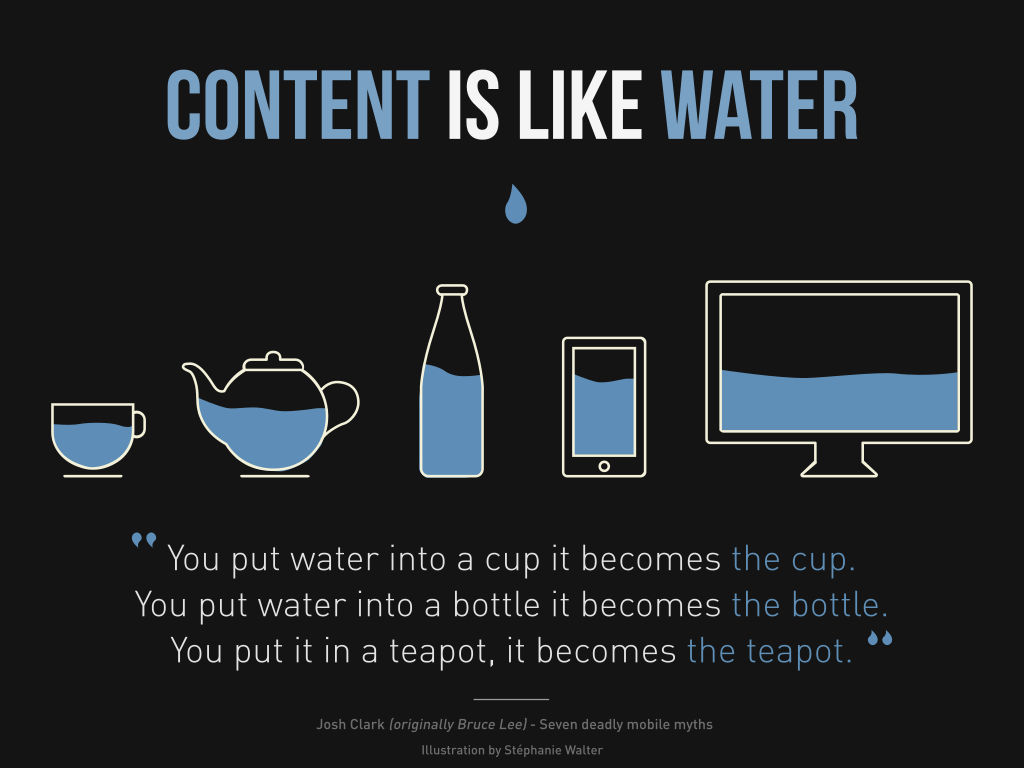
- Readable, easy-to-digest content improves UX by keeping users engaged and increasing the likelihood they’ll return. Use headers, bullet points, and concise paragraphs to break up large text blocks and make content easier to scan.
- By enhancing readability, you also improve your on-page SEO. Google recognizes organized content and rewards well-structured pages with higher rankings.
6. Core Web Vitals: Essential Metrics for UX
- Google’s Core Web Vitals—Largest Concertful Paint (LCP), First Input Delay (FID), and Cumulative Layout Shift (CLS)—are key metrics measuring page load time, interactivity, and visual stability.
- Optimizing for Core Web Vitals helps enhance the user experience and aligns your site with Google’s ranking signals. For instance, reducing layout shifts improves visual stability, making users feel more in control as they interact with your site.
Quality Content and Engagement: Adding Value to the User
- Beyond aesthetics, providing valuable, relevant content fosters engagement and builds trust with your audience. Whether through blog posts, product information, or interactive elements, quality content aligns with user intent and encourages users to spend more time on your site.
- Engaging content that aligns with SEO best practices—including appropriate keyword usage and a clear structure—boosts both the user experience and search engine visibility.
User Feedback and Continuous Optimization: Listening to Your Audience

- User feedback can reveal UX issues and opportunities you might not otherwise notice. By addressing common pain points, you show users you value their experience and are committed to improvement.
- Continuously optimizing UX based on user feedback not only enhances satisfaction but also strengthens your SEO performance. Tools like Hotjar or Google Analytics can provide valuable insights into user behavior, guiding ongoing improvements.
FAQs:
-
What is the connection between UX and SEO?
User experience (UX) and SEO are closely linked because search engines prioritize websites that offer easy navigation, fast loading, and mobile responsiveness. A better UX increases engagement and lowers bounce rates, both of which improve rankings. -
How does website speed affect SEO rankings?
Website speed is a critical ranking factor. Faster websites provide better user experiences and reduce bounce rates, signaling to Google that your content is valuable and user-friendly. -
Why is mobile-friendliness important for SEO?
Google uses mobile-first indexing, meaning it evaluates the mobile version of your site first. A mobile-friendly design enhances UX and directly contributes to higher SEO performance. -
Can poor UX lower my website’s SEO ranking?
Yes, a bad UX—such as confusing navigation, slow loading times, or intrusive pop-ups—can lead to high bounce rates and reduced time on site, which negatively affect your rankings. -
What UX factors should I focus on to improve SEO?
Focus on fast load times, intuitive navigation, clear CTAs, responsive design, and accessibility. These improve user satisfaction and send positive signals to search engines. -
Does Google consider UX a ranking factor?
Yes, Google uses Core Web Vitals—metrics based on real-world user experience—along with other UX-related signals to determine search rankings. -
How can I measure the UX of my website for SEO purposes?
Use tools like Google PageSpeed Insights, Search Console, and Hotjar to track performance, user behavior, and Core Web Vitals that influence your SEO.