One of the most competitive online marketplaces is Amazon, where hundreds of vendors vie for top search engine rankings. Increased traffic, improved exposure, and eventually greater sales are all correlated with higher ranks. Relevance, sales success, customer feedback, and keyword optimization are just a few of the variables that Amazon takes into account when determining product rankings using its A9 algorithm. In order to increase their product rankings, merchants need to put a well-thought-out plan into action. The key strategies for successfully raising your Amazon product rating will be covered in this post. Here we discuss How to Increase Amazon Product Rankings.
A Step-by-Step Process to Improve Your Amazon ranking

Now that you have your basics covered. Let’s look at the things you can do to improve your Amazon SEO,
Step 1: Focus on keywords
While curating the result of any Amazon search, the algorithm looks for relevant keywords to understand the context of what you are selling and match it with the search query. It is as simple as this – if you want your products to rank higher, you must add all relevant keywords to your product listing page.
You can add the keywords in the following places,
Product Title: Title is one of the first things your customers will see while searching for your product. Include the most important keyword you want to rank for in your product title.
Product description and bullet points: Apart from using product description and bullet points to describe your product and tell your brand story, you can also include a variety of keywords you want your product to rank for in the text.
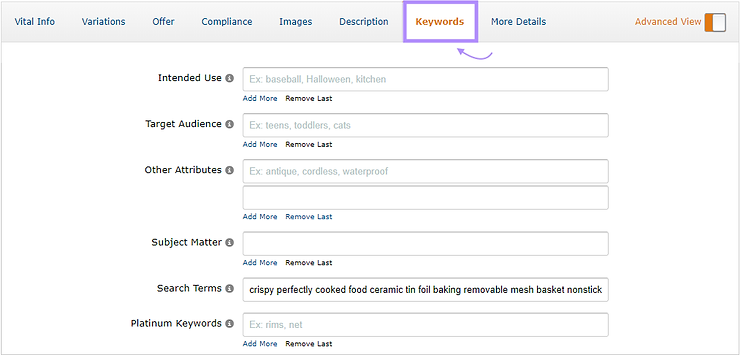
Using backend keywords: Amazon wants to understand what your product is all about. Hence they provide you ample opportunity for you to insert keywords. One such place is using backend fields for keywords you want to rank for but don’t want your visitors to see. Here is how the backend tabs look,
Step 2: Optimise your product listing page for better ranking
Product listing is the way to tell your visitors about your offering. Writing a compelling product listing in line with Amazon guidelines is important. You can read our blog on how to write a top-notch product listing page for more information. Meanwhile, here is the summary on how to optimise your product listing,

Step 3: Work towards improving your product performance
The A10 algorithm uses the below factors to gauge product performance while curating the search results,
- Click-Through Rate (CTR)
- Conversion Rate (CR)
- Actual sales numbers
- Price your product competitively: Do your research on competitors’ pricing both on and off Amazon before finalizing your own price, as Amazon also tracks third-party marketplace pricing while curating search results. You can increase your product ranking by pricing your product lower than your competitors.
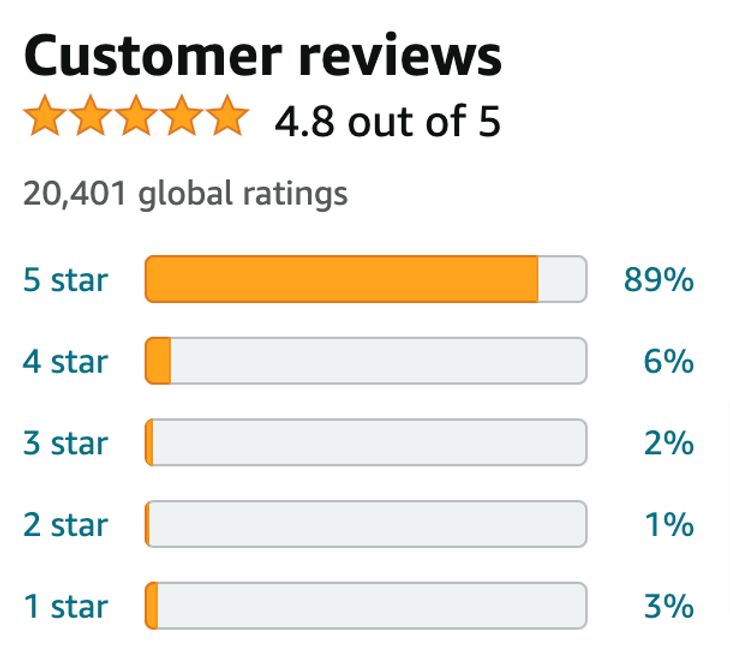
- Work towards improving your product reviews: Most Amazon customers check customer reviews before making the purchase decision. As good customer reviews build trust and authority on Amazon, you should work on getting as many positive reviews as possible. Here are some strategies to increase customer reviews on Amazon that will help you create a wonderful customer feedback journey.
- Keep your inventory well-stocked: Amazon doesn’t want their customers to come to the website and not be able to purchase. If you are not fulfilling your orders due to the lack of inventory, Amazon will start ranking you lower than your competitors. You can use Amazon Selling Couch to keep a close eye on your inventory. It automatically notifies you when your stock is low.
How Amazon’s A10 Ranking Algorithm Works
The algorithm Amazon uses to rank products in search results is called A10. Its purpose is to determine the most relevant products to display for shoppers’ searches. The difference between A10 and search engine algorithms (e.g., those of Google, Bing, and the like) is that A10 is designed to solely address transactional intent. In other words, Amazon users aren’t looking to learn new information or perform research—they’re specifically interested in making a purchase.
A10 examines multiple factors when determining how to rank products, including:
- Keywords: Including relevant search terms throughout your product listing helps signal to Amazon that your product is relevant for a particular search
-
Conversion rate: It’s in Amazon’s interest that the product listings it displays to shoppers convert well. This means that having a higher conversion rate is likely to help with getting your product listing to the top of Amazon search results
Reviews: Positive reviews help nudge shoppers toward making a purchase. Having a lot of positive reviews on your product listing means better conversion rates, which, in turn, lead to better rankings in search results
Sales history: A product listing that generates a large number of sales is popular for a reason. Having a long sales history signal to Amazon that your product listing is worth showcasing to shoppers.
Keyword Research and Analysis for Amazon ranking
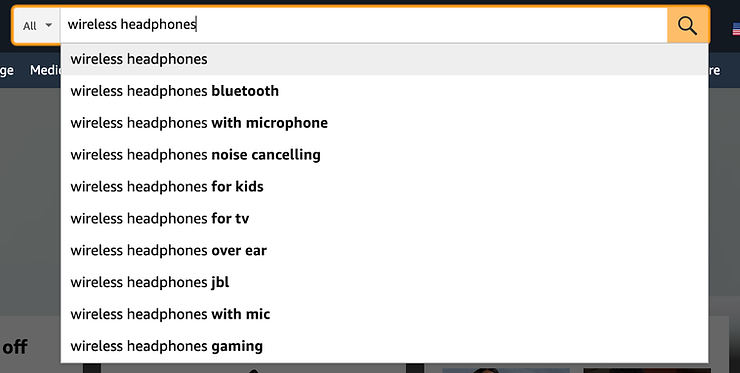
Amazon keyword research will give you an understanding of the best keywords to target with your product listings. Ideally, you should target one primary keyword and one secondary keyword with each of your product listings. If you’re just starting out, your best bet is to target long-tail keywords. These are highly specific search queries (think “wireless headphones for kids 8-12” vs. just “wireless headphones”), which usually have less competition and are therefore easier to rank for. Amazon allows you to add two types of keywords to your listings: frontend and backend keywords.
- frontend keywords
- backend keywords
frontend keywords
Frontend keywords are those you use throughout your product listing (e.g., in the product title and description) and are visible to shoppers.
backend keywords
Backend keywords aren’t visible to shoppers. But Amazon still takes them into account when ranking your products in search. They’re a great way to help Amazon associate your product with relevant searches without having to cram more keywords into your product listing.
Optimizing Product Titles and Descriptions for Maximum Impact
The product title is one of the main things Amazon’s A10 search algorithm uses to determine whether a product listing is relevant for a particular search.
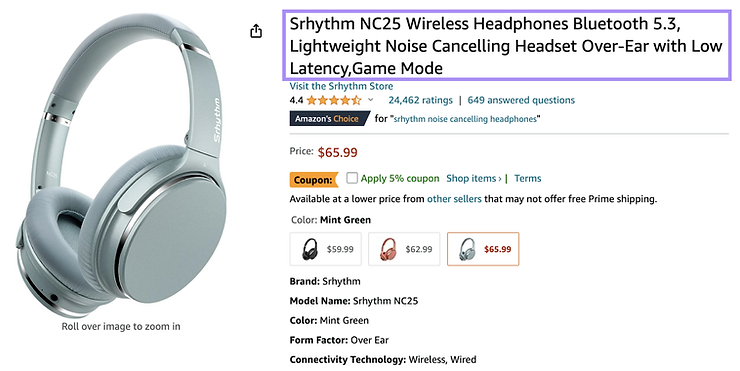
Amazon offers clear product title requirements sellers need to adhere to:
- Titles should be up to 80 characters long
- Avoid using all caps. Use title case instead.
- Avoid promotional phrases (e.g., “free shipping”)
- Use numerals (e.g., “3” instead of “three”)
- Don’t include size and color variations in the title
Creating High-Quality Product Images
Adding high-quality product images to your Amazon product listing is essential. Images help increase click-through rates from search results and entice shoppers to make a purchase.Amazon allows you to add up to nine images to your product listing (but only seven will be visible on your listing). You should take advantage of this and use up all the slots to highlight your product’s features.
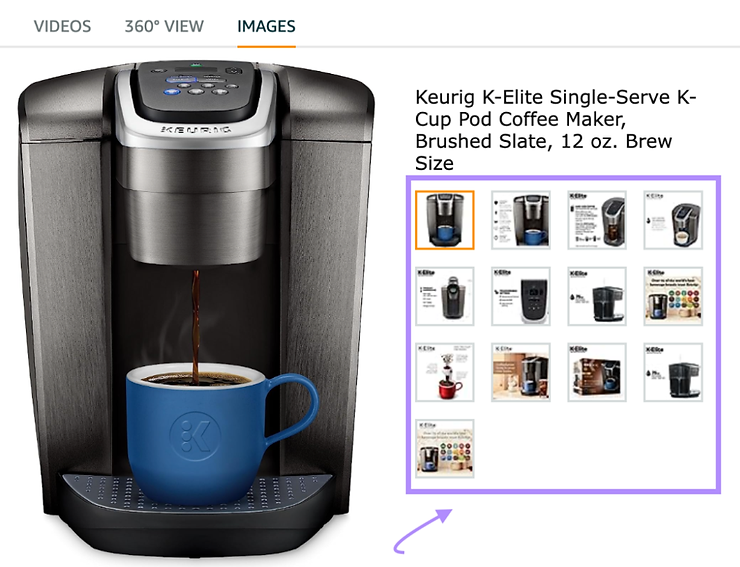
Amazon offers clear images products requirements sellers need to adhere to:
- Use photos—not drawings or illustrations
- A white background is mandatory
- The minimum size is 500 x 500 pixels—images should ideally be 1,600 pixels or larger on the longest side and not exceed 10,000 pixels
- Resolution should be at least 72 dpi
- Supported file formats include JPEG, PNG, TIFF, and GIF (non-animated)
- Need to match the product in color and size
- The product needs to fill at least 85% of the image
- Images can’t be pixelated, blurry, contain nudity, or be sexually suggestive
- Utilize Amazon PPC Advertising
Generating Positive Product Reviews and Ratings
It’s crucial that your products have positive reviews and high ratings. Think about it—why would Amazon show shoppers low-rated products with bad reviews on the first page of search results?41% of consumers state they always read product reviews before making a purchase on Amazon. Apart from showing Amazon that your products are high quality, positive reviews and high ratings also help increase your click-through and conversion rates. They provide social proof and help shoppers decide to make a purchase.