Choosing the right social media management software is key to reaching your audience and reducing the time required to manage your social profiles. In this guide, we’ve reviewed a 17 Best Social Media Management Tools. so that you can pick the best one for you. So, the review was performed by a social media expert with years of experience in the social media marketing industry.
Social Media Management Tools Reviews
1. Social Pilot
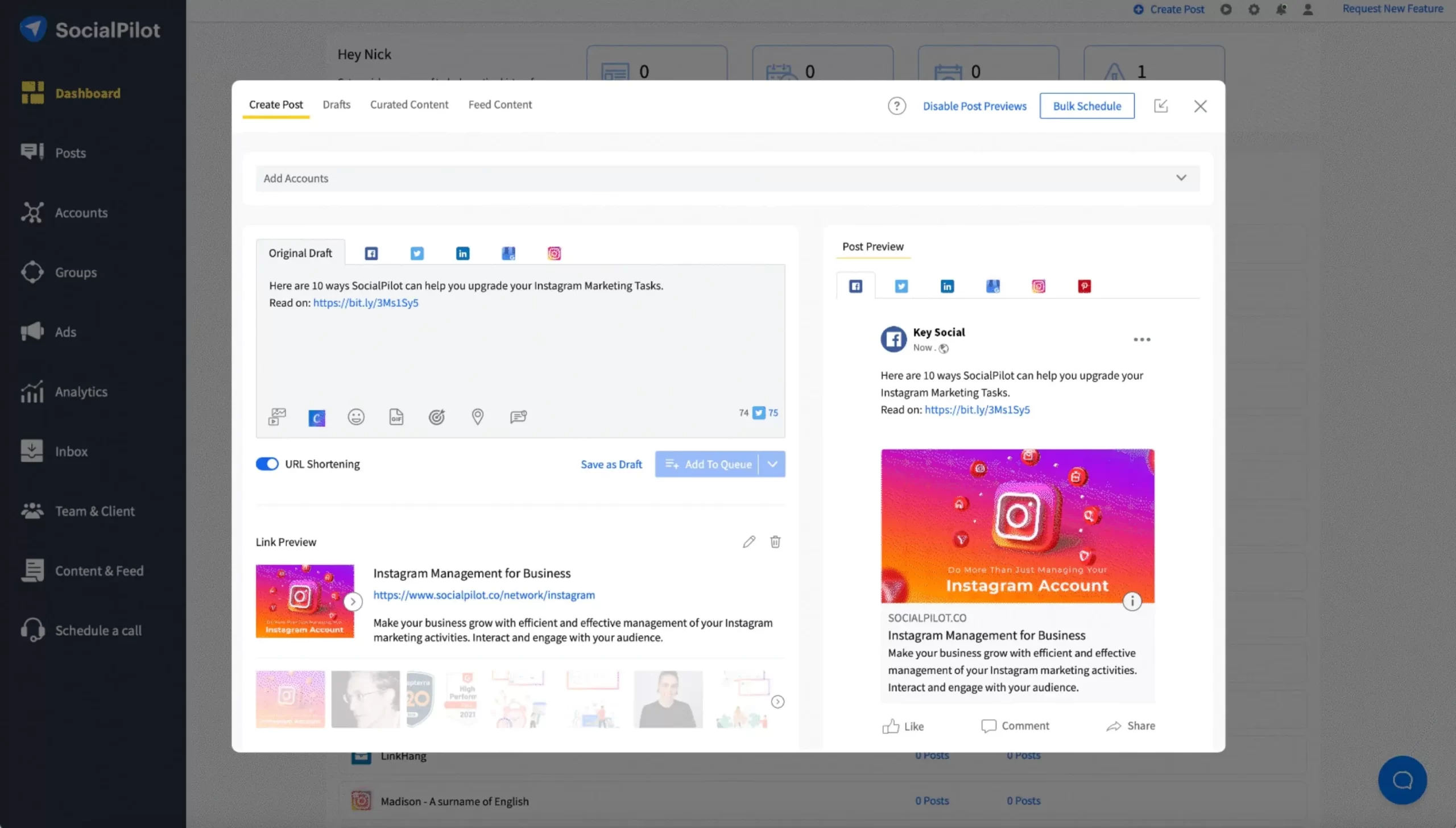
Social Pilot is a social media manager built for agencies and small businesses. So, the platform supports eight of the most popular social networks and offers all the essential features expected from a social management tool. Social Pilot’s strength lies in its ability to publish social content across different platforms efficiently. There is a calendar view to visualize your planned content, and you can rearrange posts with the drag-and-drop editor.
Pros
- Manage unlimited clients
- Add more than one image to social posts
- Detailed social analytics
- Integrations for Canva and Dropbox
Cons
- Need to edit posts separately for each channel
Pricing
Pricing for Social Pilot starts at $50 per month for the Small Team plan. With this plan, you get three user seats and up to 25 social profiles to manage.
2. Sprout Social
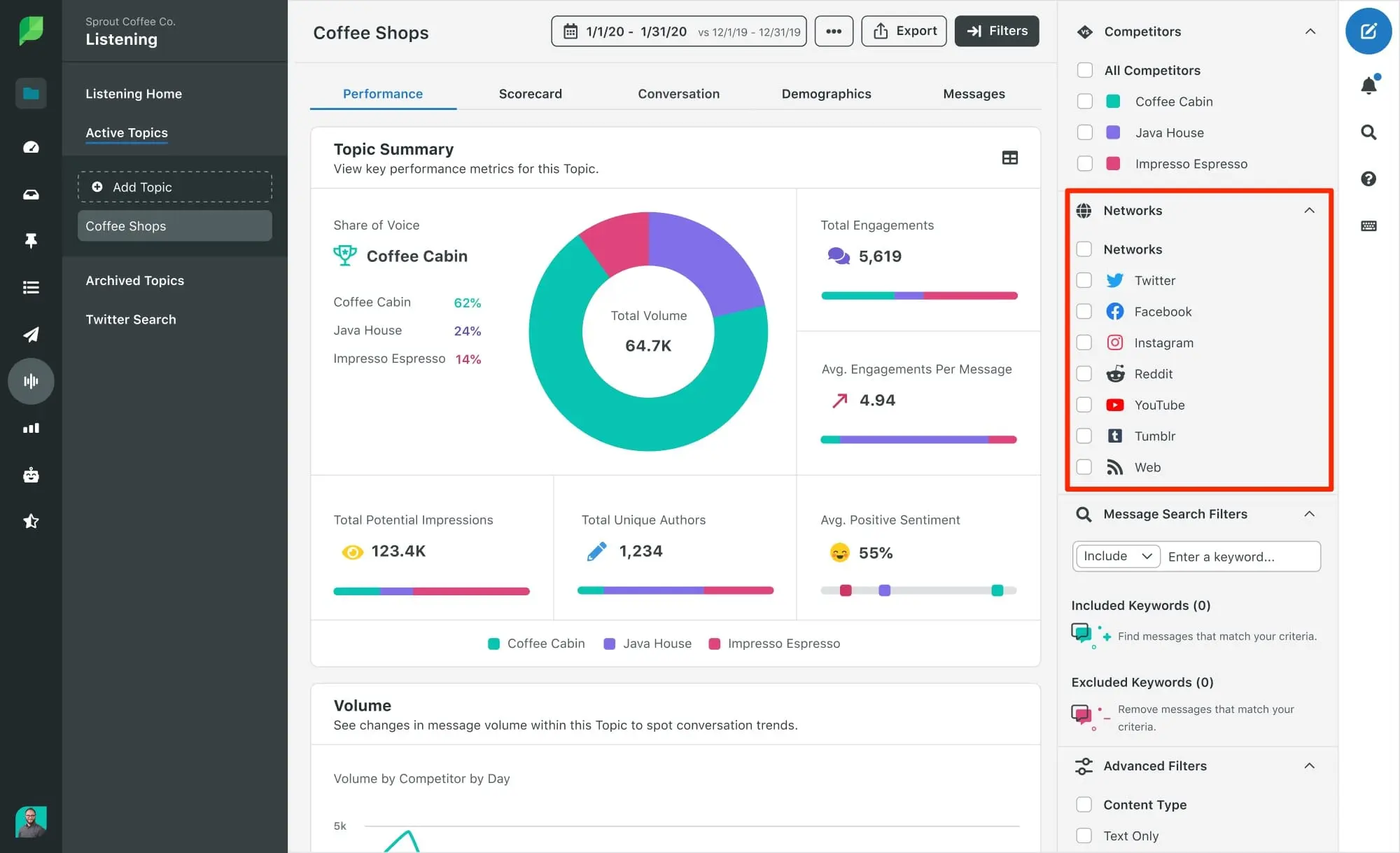
Sprout Social is a social media management tool designed to be an all-in-one solution for managing your social presence. One of the top-rated social media management tools with powerful CRM features. Best suited for agencies and large enterprises. So, sprout Social has strong published features. You can schedule social posts across multiple profiles all at once while saving time by queuing the posts in advance.
Pros
- Manage all your social profiles from a single platform
- Monitor your brand with a social media listening tool
- Detailed insights for understanding your audience
Cons
- Expensive
- No support for Pinterest or TikTok
Pricing
Sprout Social’s Standard plan costs $99 per month. So, you can save $10 per month by enrolling in an annual plan.
3. Only Pult

Only Pult is a social media management tool that supports over a dozen of the most popular social platforms. Only Pult’s core features are its post scheduling and publishing functionality. With Multi posting, you can quickly publish posts in batches across your various profiles. So, the platform features a content calendar for you to visualize when your content is going out easily. So, it also comes with a monitoring feature you can use to get notified when people mention you or your competitors.
Pros
- Support for a wide range of profiles, including TikTok
- Schedule and push content to your blog
- Affordable pricing
Cons
- A limited number of social profiles with the basic plan
- The monitoring feature only covers a small number of mentions
Pricing
Only Pult has four paid plans. So, the most basic of them is the Start plan, which costs $15 per month. So, with the plan, you can get unlimited social posting ad support for up to three social profiles.
4. Sendible
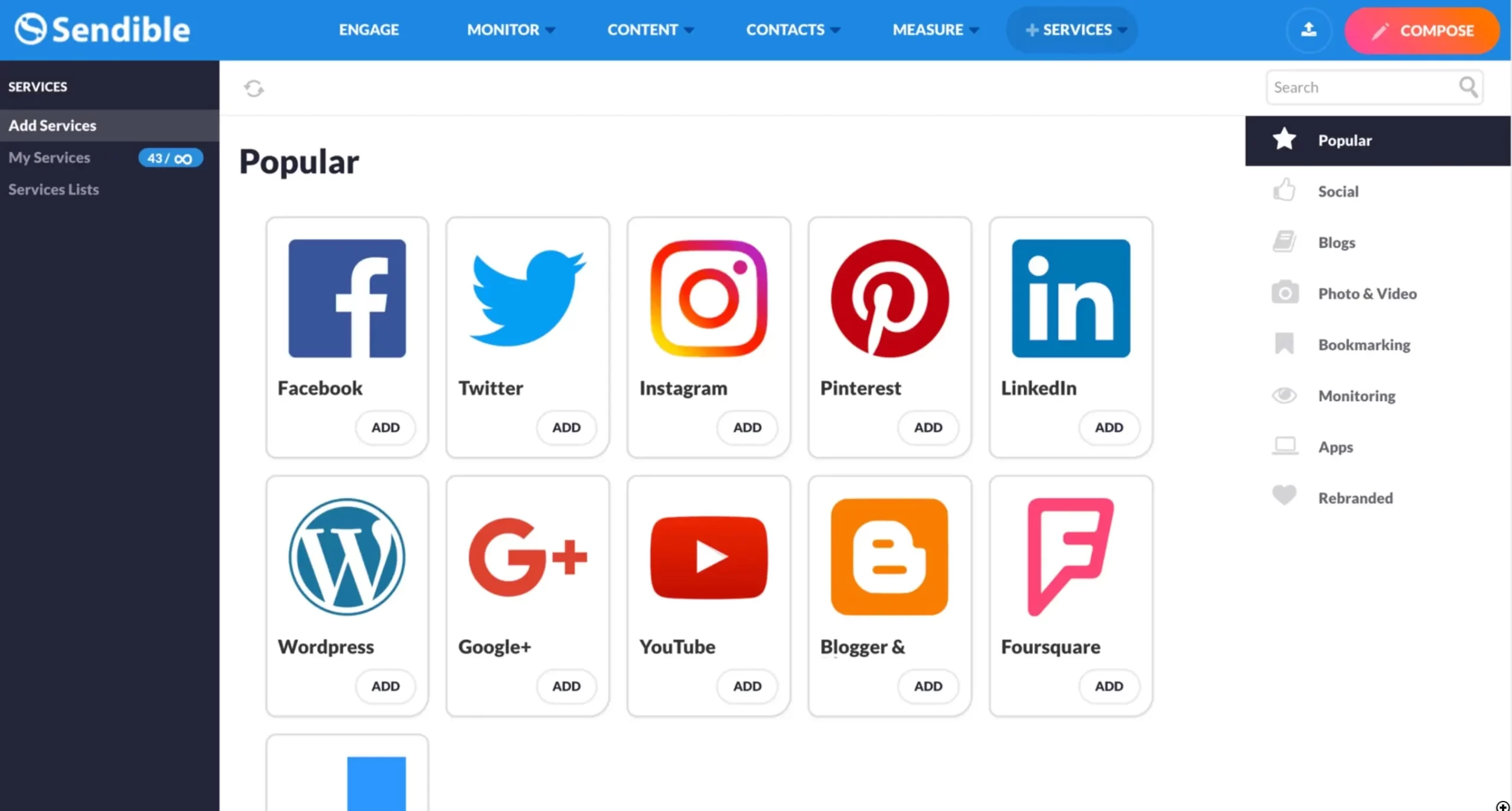
Sendible is a social media management solution built to help individuals and agencies get the most out of their social marketing efforts. Sendible can serve as an all-around platform for managing your social presence as it supports all the major networks. So, the publishing functionality is very strong and is designed to help you quickly craft quality content. You can draft messages to go out to multiple platforms from the same interface, and you can customize the details of the messaging to match each channel.
Pros
- Strong social listening with sentiment analysis
- Customizable reports
- Support for all major social platforms
Cons
- Some reporting features are limited to higher plans
Pricing
Pricing for Sendible starts at $29 per month for the Creator plan. So, the plan comes with one user seat and support for up to six social media profiles.
5. Crowd fire
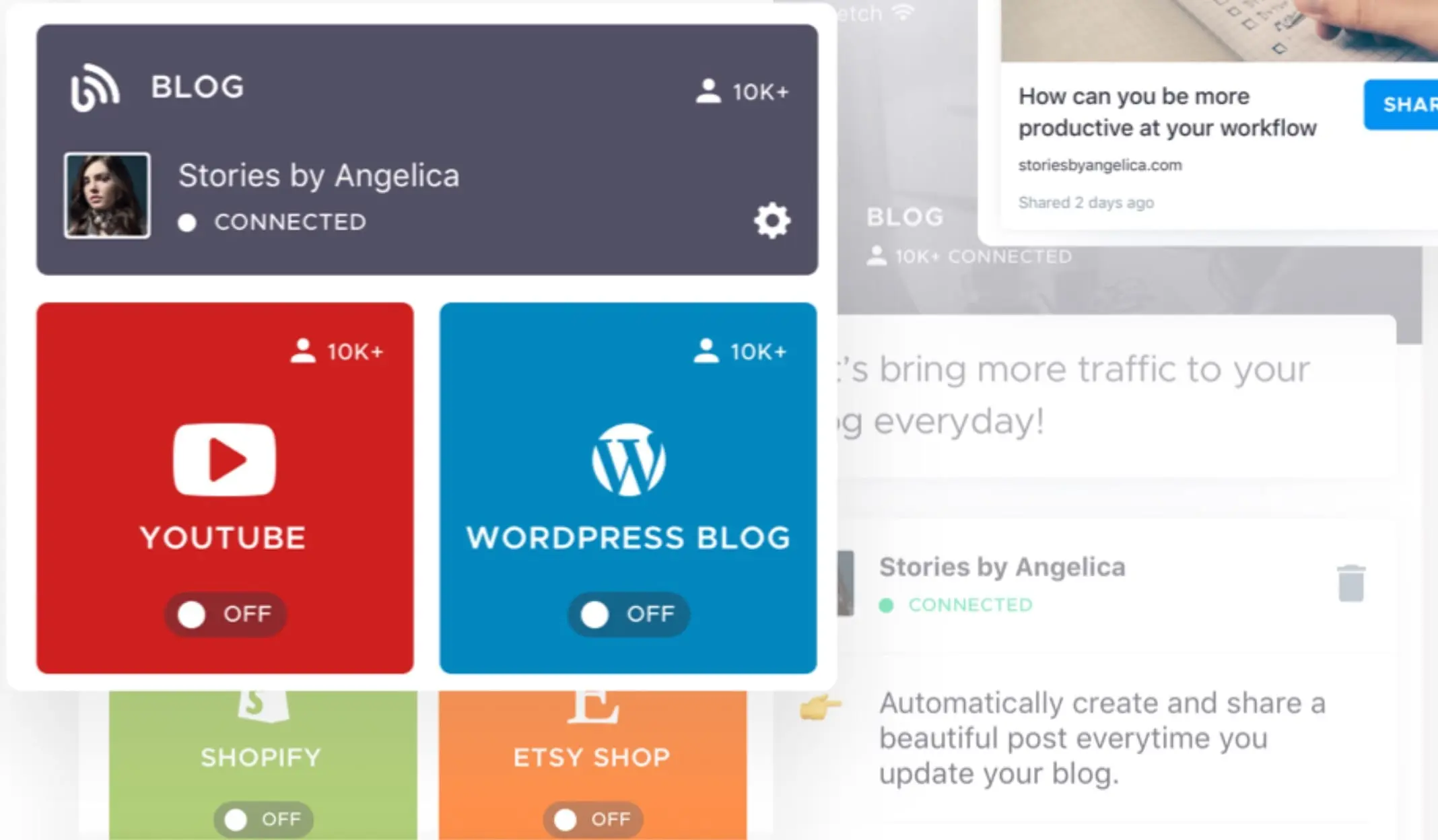
Crowd fire is a social media management software built to make it easy to publish content from your own websites onto social platforms. Crowd fire makes it easy to plan and publish social content on five of the most popular social platforms. Posts can be scheduled automatically, or you can choose specific times for content to go live. So, the software can also automatically customize your posts so that they are best suited to different social channels. So, this saves you the added hassle of needing to tweak the same post again and again.
Pros
- Curate content from your websites
- See your competitors’ top posts
- Automatically tailor posts to match each channel
Cons
- Limited features with the basic plan
- Can only schedule 100 posts per account
Pricing
Pricing for Crowd fire starts at $9.99 per month for the Plus. So, the plan lets you link five social accounts, and you can schedule up to 100 posts for accounts.
6. Relate Social

Relate Social is an affordable and easy-to-use social media management tool. So, it allows you to use a media library to create content, schedule posts to auto-publish, track keywords, and monitor performance with analytic reports. One of the best features of Relate Social is the ability to respond to comments from the tool dashboard. So, this saves you a lot of time from having to log on to each platform separately and reply to comments.
Pros
- You can create content fast using the content creator library and auto-scheduler.
- Keyword search integrated functionality.
- Respond to comments with notifications.
- Real-time analysis reports.
Cons
- No support for Pinterest or TikTok
Pricing
- Relate Social offers two plans: Essential and Pro – both plans offer a 30-days free trial period.
- The Essential Plan costs $2.88/mo and the Pro Plan – $9.88/mo.
7. Agora Pulse
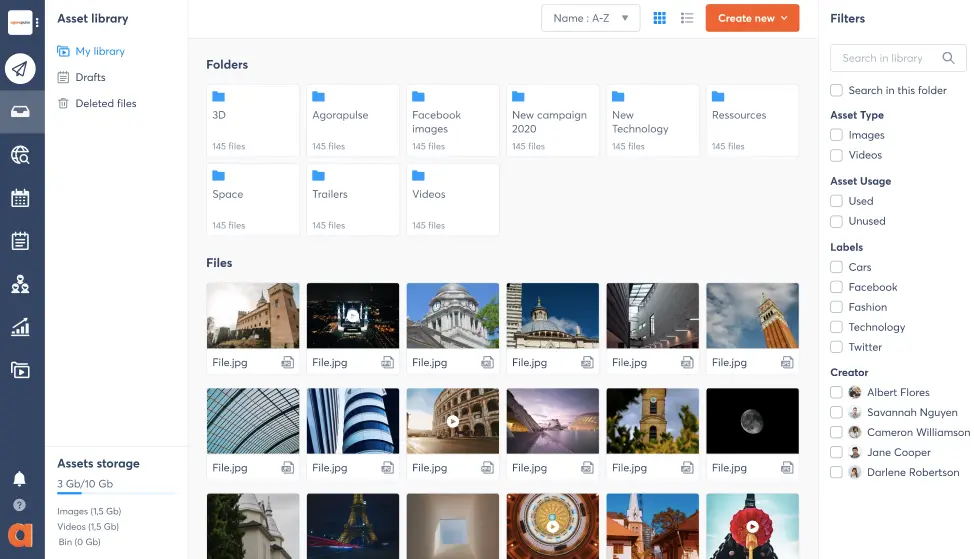
Agora Pulse is a comprehensive social management software rated as one of the best tools by customers on leading review sites. So, agora Pulse includes a unified social inbox to easily manage all social media messages, comments, and reviews from a single hub. So, the inbox has an automated assistant that you can use to set up rules to automatically complete actions. So, it is adding labels with social listening, you can respond quickly to conversations mentioning your brand straight from the Agora Pulse platform.
Pros
- Top-notch customer support
- Shared calendars
- Intuitive social inbox
Cons
- Expensive
- Limited images in the asset library
- Important features restricted to higher plans
Pricing
Pricing for Agora Pulse starts at $99 per month for the Pro plan. So, the plan comes with two user seats and allows you to connect to up to 10 social profiles with unlimited scheduled posts.
Note, that this plan doesn’t include shared calendars or the inbox assistant. So, for these you’ll need the Premium plan ($249 per month).
8. Social Bee
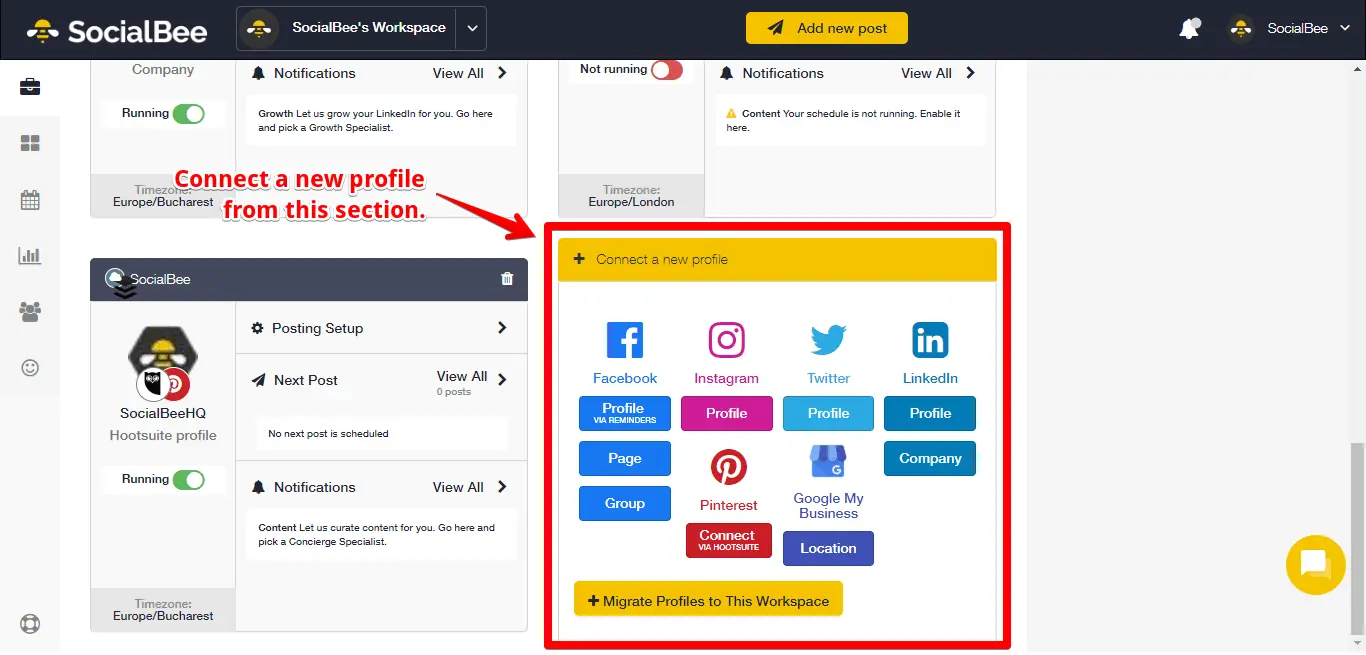
Social Bee is a simple yet effective social media tool. With it, you can automate your social posting to free up time to spend on value-driving activities. Social Bee comes with several features to streamline how you plan and publish social content. So, the post editor includes tabs for multiple platforms so you can quickly tailor each post to fit the end destination. So, plus you can easily reschedule posts multiple times to get more use out of your evergreen content.
Pros
- Create diverse content with content categories
- Simple interface and easy account setup
- Create graphics within the platform
Cons
- Limited analytics data
- No exporting reports
Pricing
Social Bee pricing starts at $19 per month for the Bootstrap plan. So, with the plan, you get one user seat and up to five social accounts to connect to.
9. Planable
Planable is a social media management platform that helps companies streamline the process of planning, approving, and publishing social media content. so, plan able excels with its collaborative features. So, team members can leave in-context comments next to drafted posts so that all shareholders can work together and approve posts faster.
Pros
- Strong collaborative features
- Affordable pricing
Cons
- Limited analytics
- No support for Pinterest
Pricing
Planable prices its software based on your number of users. So, the Basic plan costs $13 per month for each user. So, with it, you get unlimited posts for seven social media profiles.
10. Content Studio
Content Studio is a unified social media management tool for marketers, small businesses, and large teams. So, Using this multi-channel platform, you can plan, create, organize, and schedule content on 30+ social media channels and blogs. So, besides social media scheduling, it also offers social media analytics, a social inbox, and a content discovery tool.
Pros
- Plan & schedule content on all your social media accounts
- Measure & analyze social media analytics
- Seven Unique Automation Recipes, including RSS feed to social, bulk upload, articles to social, videos to social, videos to blog & evergreen
- Manage your social media presence with Multi-view Calendar
- Discover trending content & Influencers
Cons
- Lacks free version
- Lacks social media listening
Pricing
- Starter Plan: $25/Month (or $20/month Billed yearly)
- Pro Plan: $49/ Month($40/month Billed yearly)
- Agency Plan: $99/ Month ($80/month Billed yearly)
11. Loomly
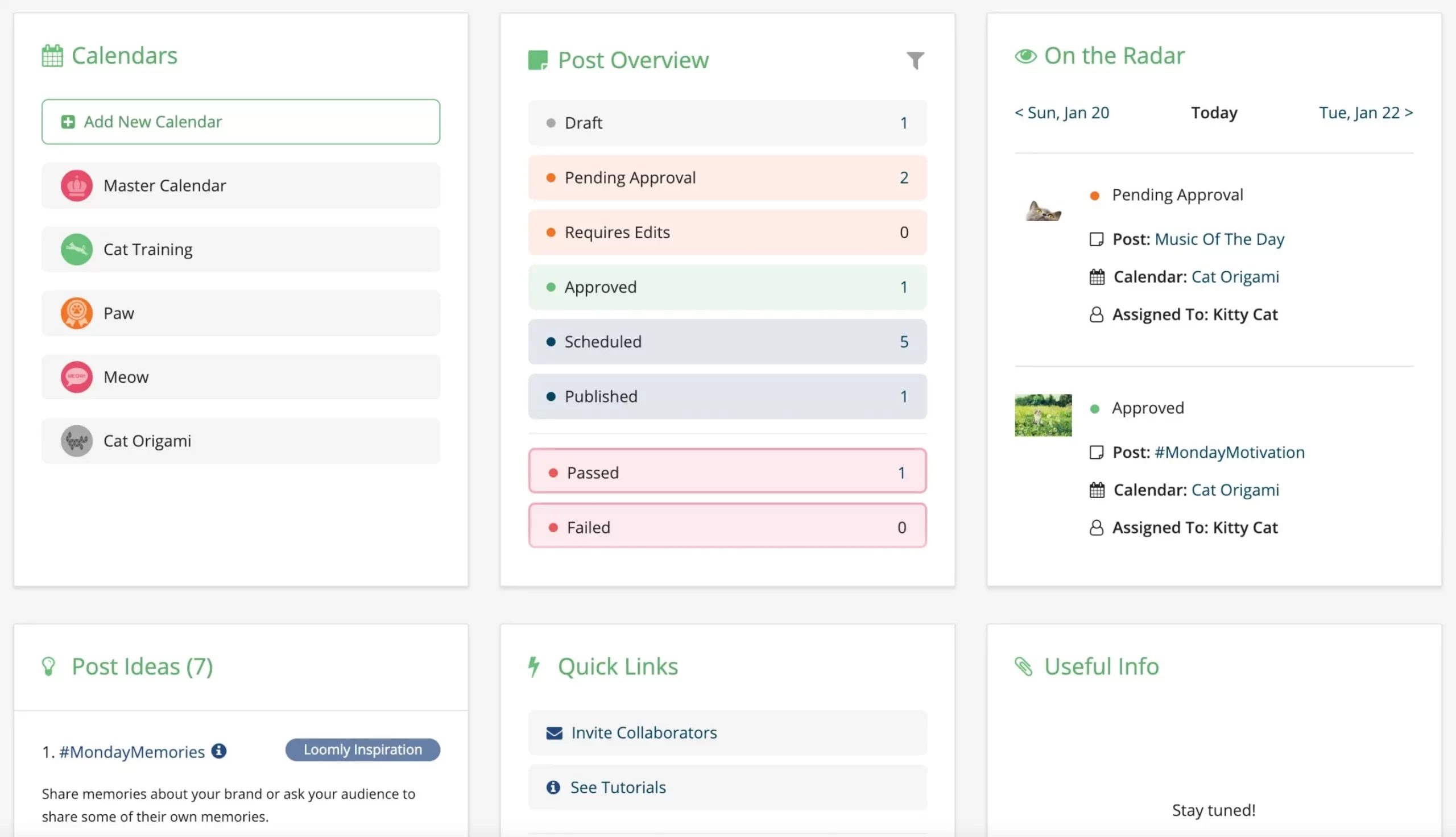
Loomly is a simple social media management solution that helps individuals and businesses manage their social content and paid advertisements. So, loomly is made to simplify how you manage your social channels. The interface is intuitively designed and you can manage all your content, assets, and ads from a single platform. So, one unique feature of Loomly is its post ideas. These give you a curated list of things to post based on social media trends and RSS feeds.
Pros
- Robust library to manage your visual assets
- Ads manager with support for Facebook audiences
- Community management system for quickly replying to social engagement
Cons
- Advanced analytics restricted to higher plans
Pricing
Pricing for Loomly starts at $35 per month for the Base plan. So, this plan comes with two user seats, unlimited content, and you can connect up to 10 social accounts.
12. Promo Republic
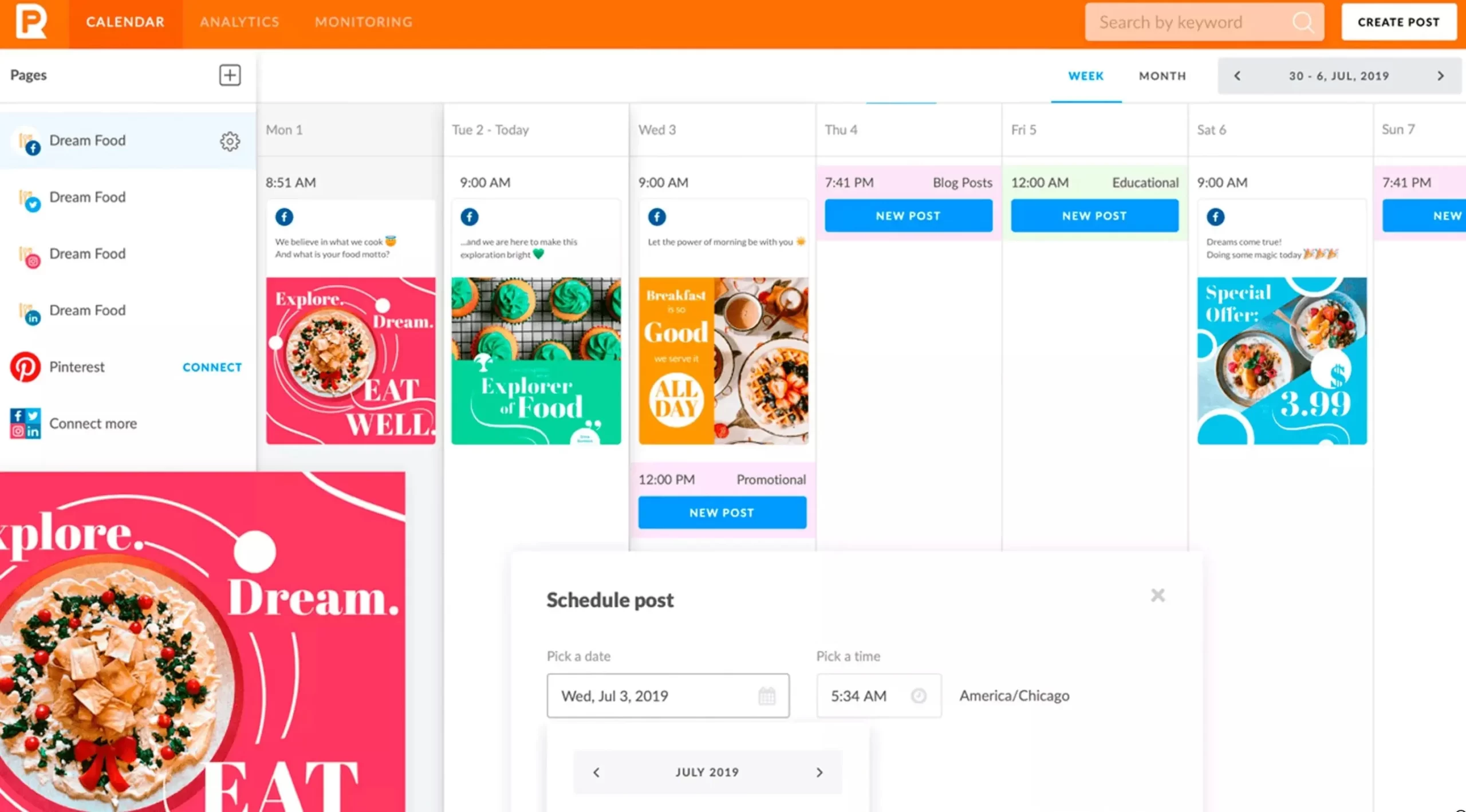
Promo Republic is a marketing tool designed to help companies win local customers. So, it includes a wide range of features including social media marketing, brand management, and local SEO. So, Promo Republic has a helpful social media calendar that makes it easy to plan and organize your content. You can automate your post scheduling and there are suggested time slots based on your industry. So, the platform comes with an extensive library of ready-to-use content and templates. It also includes a graphics editor for you to modify your content right in the interface.
Pros
- Post recycling for evergreen content
- Timing suggestions for posts
- Social media inbox to monitor brand engagement
Cons
- Doesn’t support new networks like TikTok
- No third-party app integrations
- Limited collaboration features for Small business plan
Pricing
- Pricing for Promo Republic starts at $59 per month for their Small business plan.
- Promo Republic offers new users a 14-day free trial.
13. Content Cal
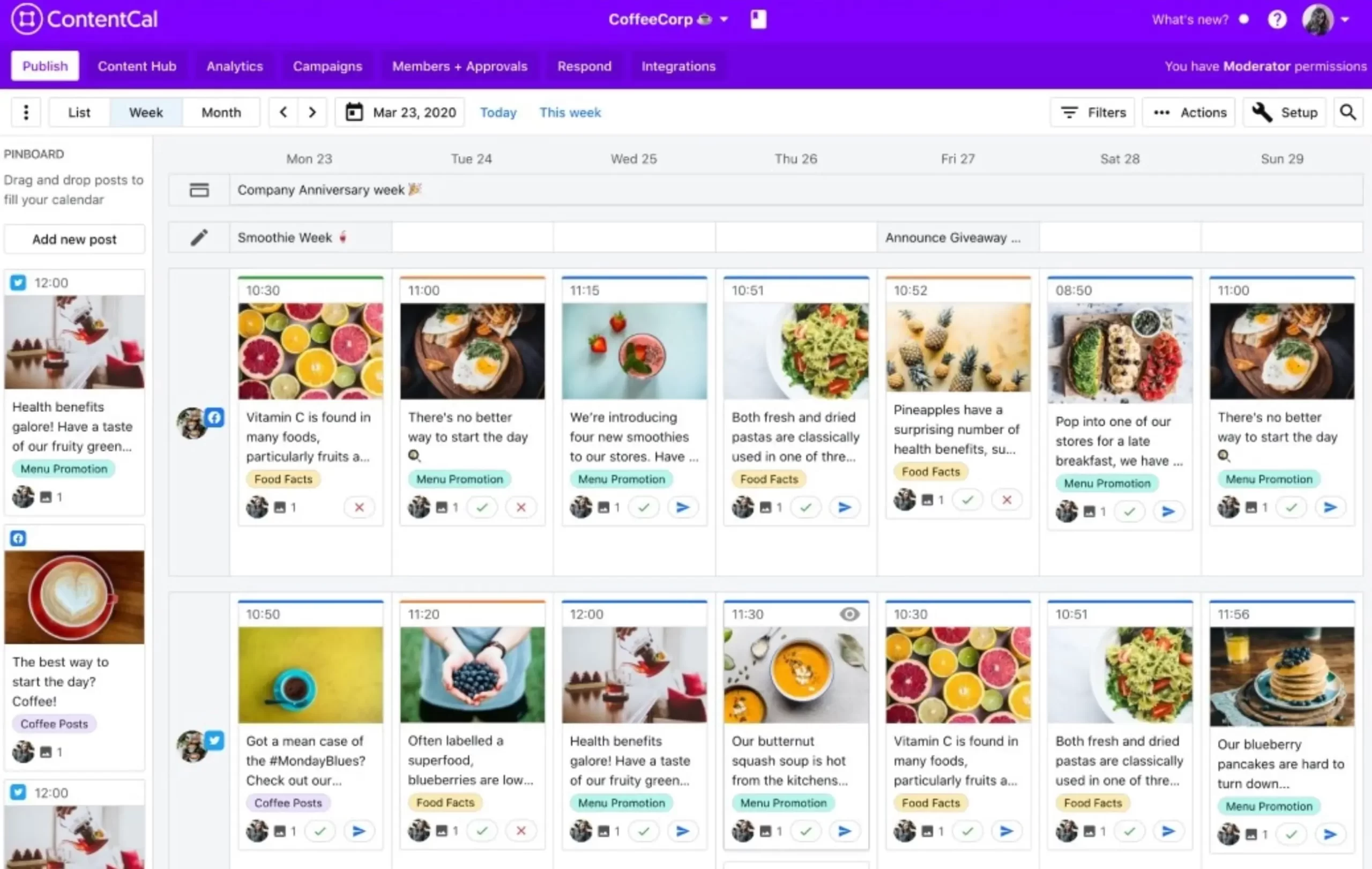
Content Cal is a marketing tool designed to help teams manage content across channels more efficiently. Content Cal has a robust content hub for users to consolidate ideas into one easy-to-find place. So, you can automate post scheduling and there are seamless approval workflows to move content through your production process faster.
Pros
- Intuitive interface that makes the platform easy to use
- Single content hub for managing and collaborating on content
Cons
- Customer support restricted to higher plans
Pricing
Pricing for Content Cal starts at $37 per month for the Essential plan. So, the plan allows for two users and calendars, and you can connect up to six social profiles per calendar.
14. Later
Later is an all-in-one social marketing tool built to help you grow your audience on the most popular social media platforms. So, later has strong features for reducing the time it takes to produce social content. So, you can auto-publish Instagram Carousel posts and there is a seamless drag-and-drop calendar for making changes to your post timing.
Pros
- Strong features for creating highly engaging Instagram profiles
Cons
- Most extensive features are only available on Instagram
- Limited to 30 posts per month for each social channel on the cheapest plan
Pricing
Later pricing starts at $15 per month for the Starter plan. So, this plan supports one user and one connected profile for each of the six supported social channels.
15. Buffer
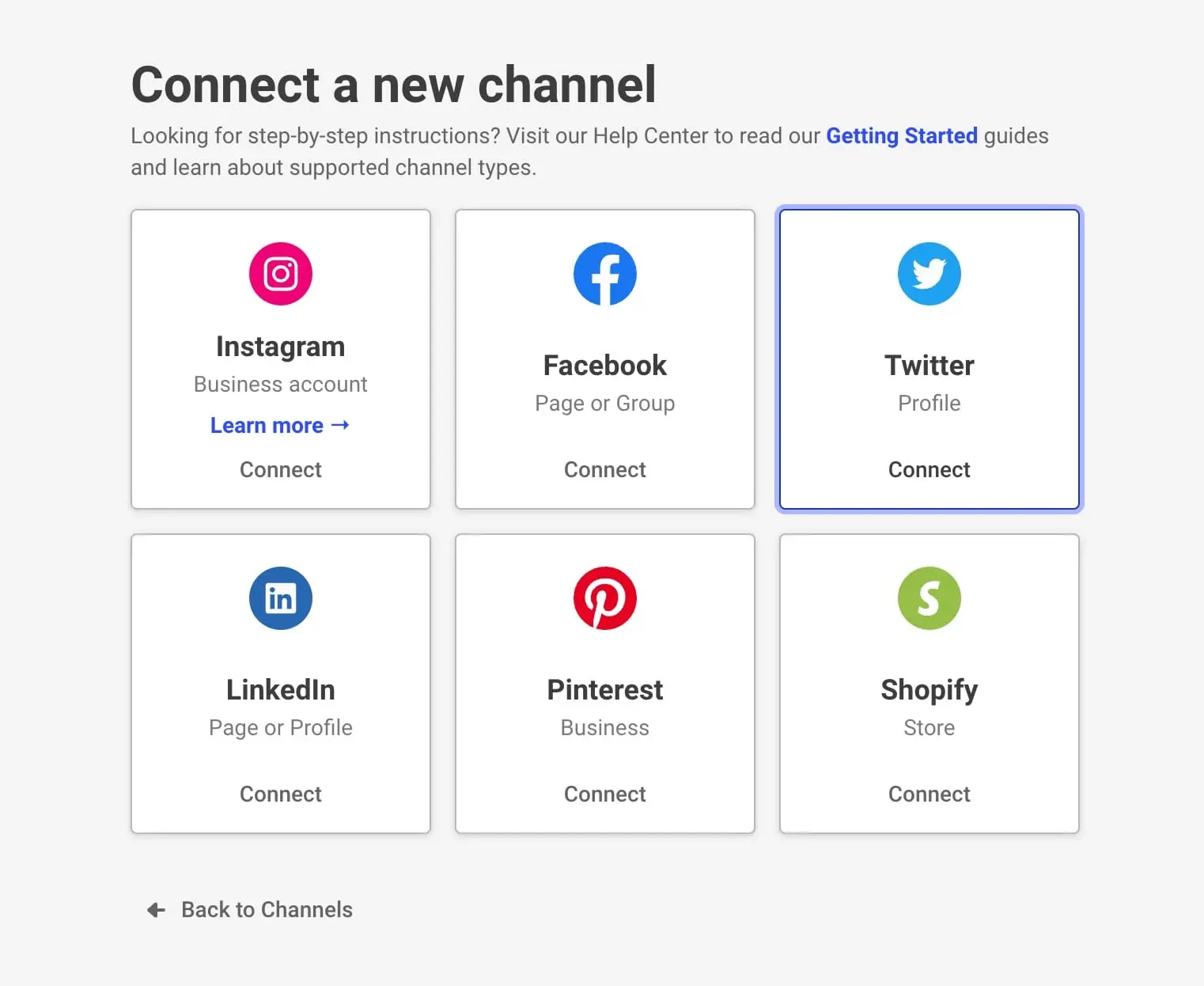
Buffer is a social media management software designed to simplify the process of planning and publishing your social media content. So, with its strong set of features, it is one of the best tools to manage social media profiles. Publishing tools are the backbone of any social media software. So, they are what make solutions like Buffer critical to your social media marketing strategy.
Pros
- Schedule thousands of posts in advance
- Easy to coordinate posts across platforms
- Support for all major social networks
- Affordable pricing
Cons
- No support for TikTok
Pricing
Buffer prices its platform based on the number of social channels that you use. So, there are three paid plans, starting with the Essentials plan which costs $6 per month per social channel.
16. Hootsuite
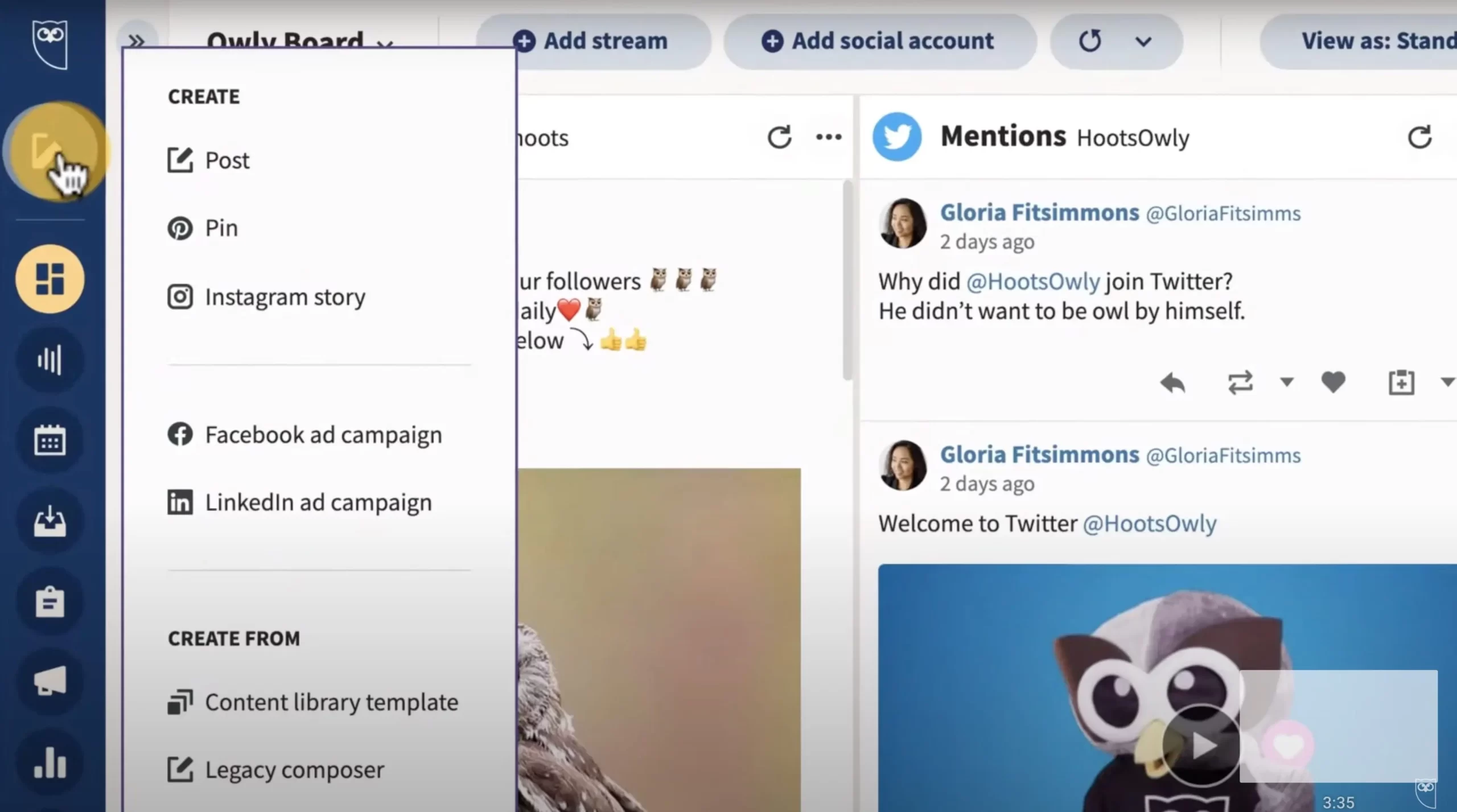
Hoot Suite is a marketing tool designed to help you manage your social media marketing, both paid and organic. So, the platform works with a variety of networks including LinkedIn, Facebook, Twitter, YouTube, and Pinterest. Like other social media management tools, Hoot Suite helps you save time when scheduling posts across all your social profiles. You can schedule posts in advance or let Hoot Suite auto-schedule posts to go out at the optimal time.
Pros
- Robust analytics platform
- Manage all your social ads from a single dashboard
- Preview window for social posts
Cons
- The starter plan only comes with one user seat
- No options for monthly plans. All plans are billed yearly.
Pricing
HootSuite offers a 30-day free trial for all their plans.
17. eClincher

eClincher is a social media management tool designed to help businesses boost their social media ROI faster. eClincher helps you unify all your social channels into one single feed so that you never miss social communication. So, with Smart Queues, you can save time by adding posts that are then automatically scheduled. So, the platform comes with an advanced analytics dashboard which you can use to create and view unlimited reports, including those with competitor data.
Pros
- Manage social feeds from a single inbox
- Integrations for popular platforms like Google Drive and Dropbox
- Simple link shortening
- Customizable insights and reports
Cons
- Less user-friendly interface
Pricing
eClincher pricing starts at $59 per month for the Basic plan. So, with this plan, you get one user seat and support for up to 10 social profiles. So, it allows you to schedule unlimited posts and you can add 15 posts to the auto-post smart queue.