When you start learning SEO, you’ll often come across the term “link profile” because it plays an important role in SEO. It affects your domain authority, which impacts your SEO rankings. In this post, you’ll learn what Is a Link Profile In SEO.
What Is a Link Profile?
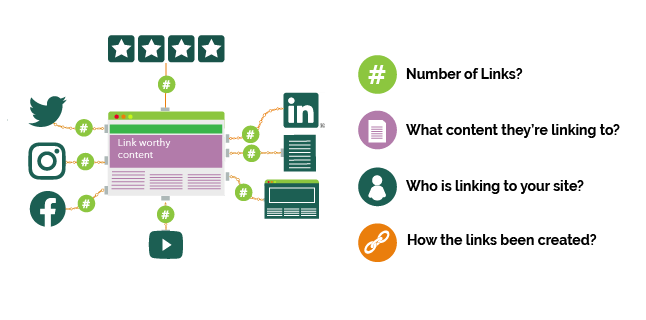
A link profile is an SEO term referring to all the backlinks pointing to your website or a single webpage. It includes details about these links’ quality, quantity, and type and how they affect your SEO rankings. Analyzing your link profile is important for many reasons: Backlinks are one of the factors that affect your Google rankings. A healthy link profile (more on this below) sends positive signals to search engine algorithms about your website’s reputation, leading to better rankings.
What Is a Healthy Backlink Profile?
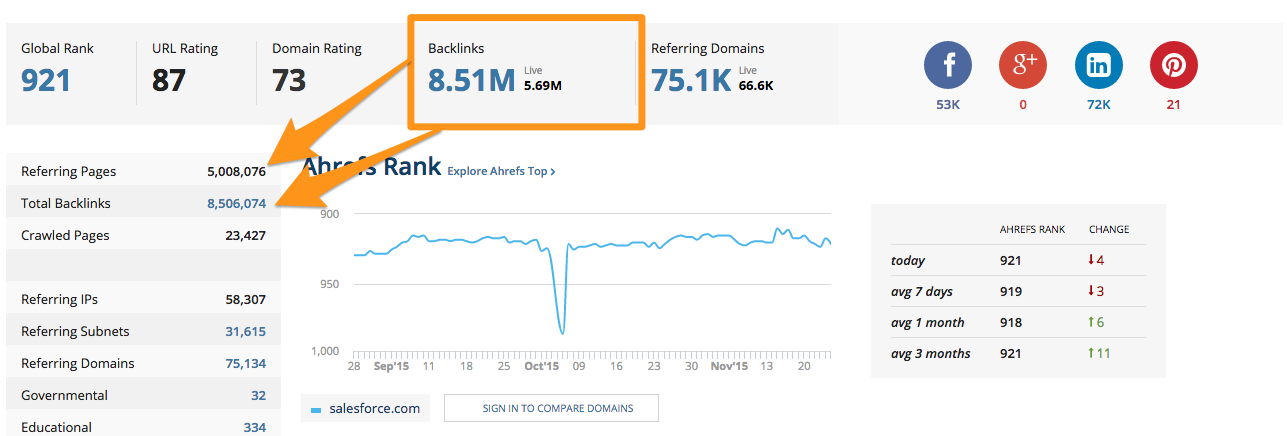
A healthy backlink profile is generated naturally and is not the result of artificially building links to manipulate search engine algorithms. A website is expected to have a mixture of incoming links with different characteristics like:
- Websites with low and high domain authority scores.
- Links that are do follow and links with the no follow attribute.
- Links with varied anchor text.
- Links pointing to the homepage.
- Links pointing to several internal pages.
A link profile that does not have the above characteristics can be considered unhealthy since this will trigger red flags with search engines. These red flags may result in penalties or drops in rankings.
How to Check Your Link Profile?

You must use a dedicated backlink analysis tool like Semrush or Ahrefs to analyze your link profile. Although Google provides some info about links to your website in Google Search Console, this is not enough to draw meaningful conclusions. The data provided by the tools has more details, but it’s not 100% accurate. Keeping track of all links pointing to a website is a trivial task for Google and SEO tools, so have this in mind when analyzing the links of any website.
1. Check Relevancy and Reputation
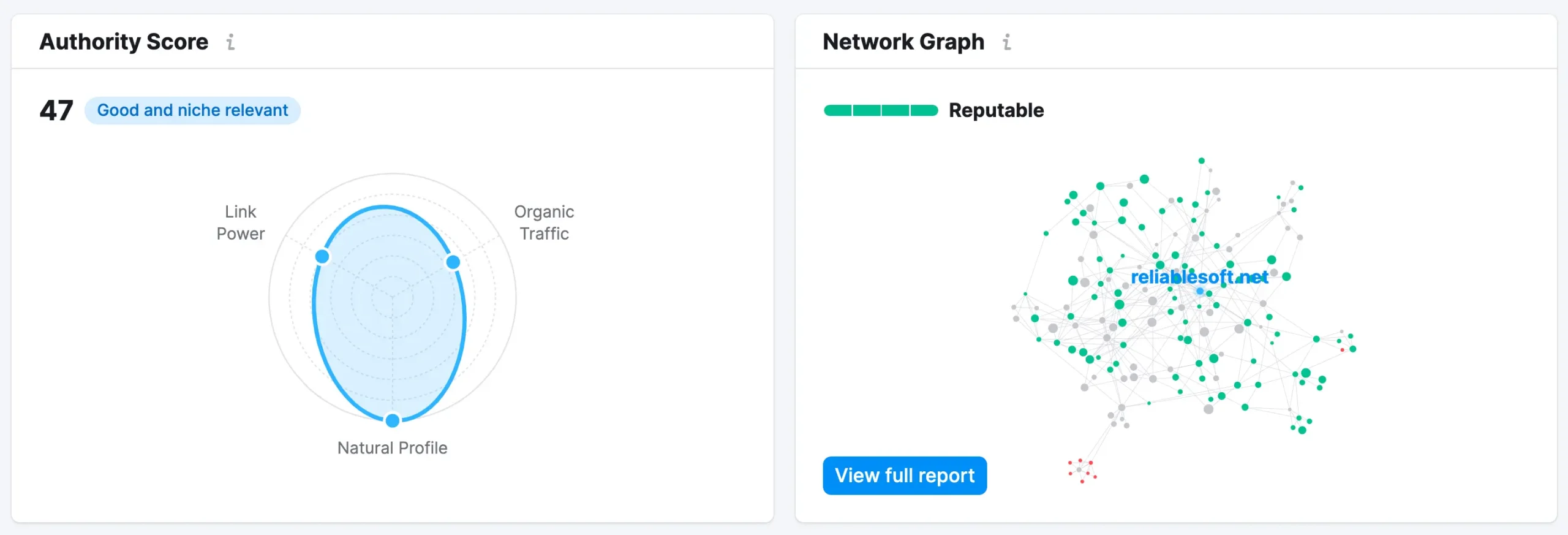
The first things to look at are relevancy and reputation. Semrush uses several parameters to determine if the incoming links are relevant to the domain’s niche (image on the left) and how reputable the domain is (image on the right). According to Semrush, a reputable domain has a profile that looks natural and lots of backlinks from relevant domains, which is highly valued by search engines.
2. Check Changes in the Number of Referring Domains
The next factor to look at is link velocity. This refers to the rate at which a website receives new backlinks. In a normal scenario, the growth of referring domains should be steady and consistent. Sudden spikes or drops in the number of referring domains can be a red flag.
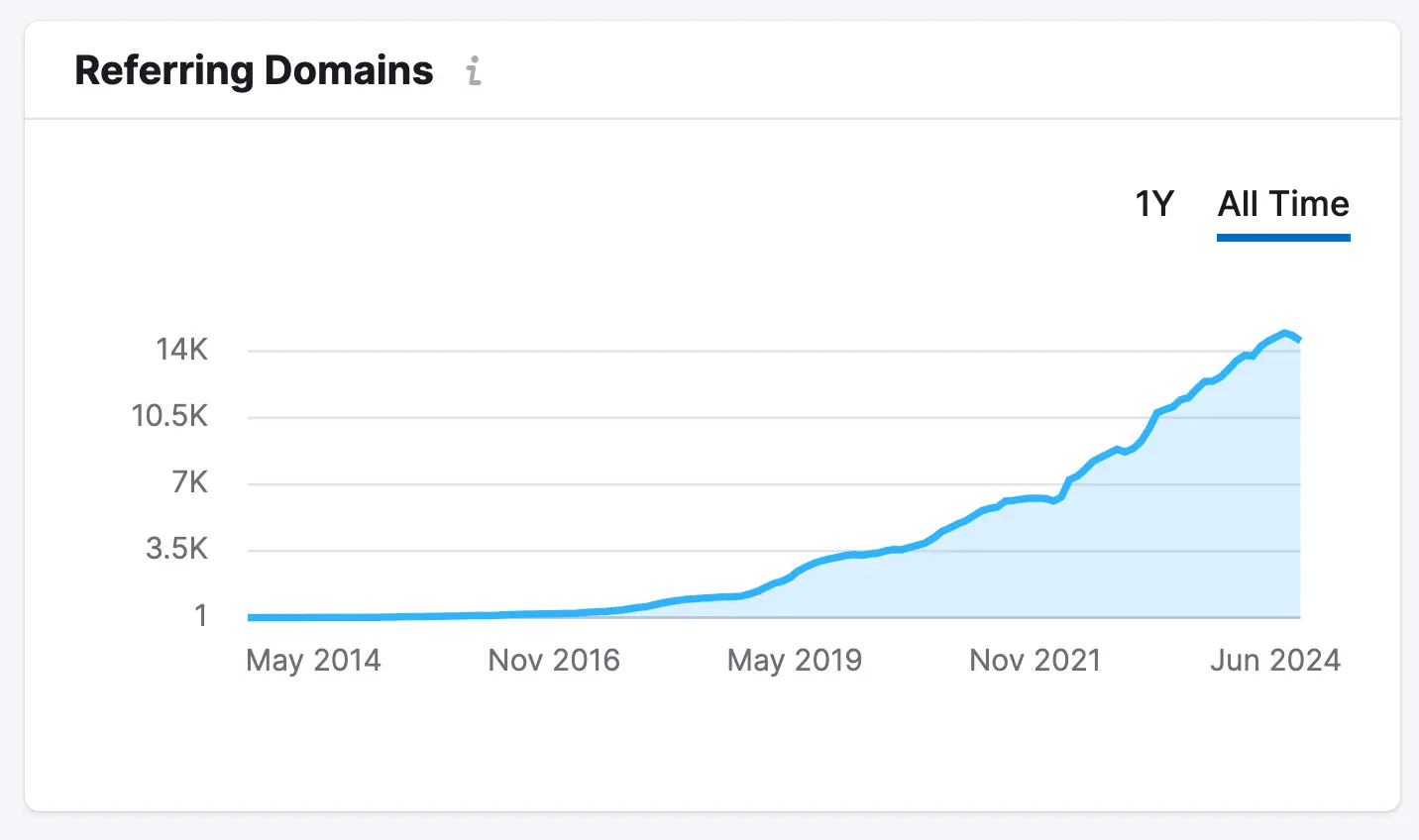
A steady increase in referring domains suggests natural growth and is a positive sign. However, if you notice a sudden spike, it could indicate unnatural link-building practices or spammy links. Similarly, a sharp drop might signal lost links due to website issues, which should be investigated further.
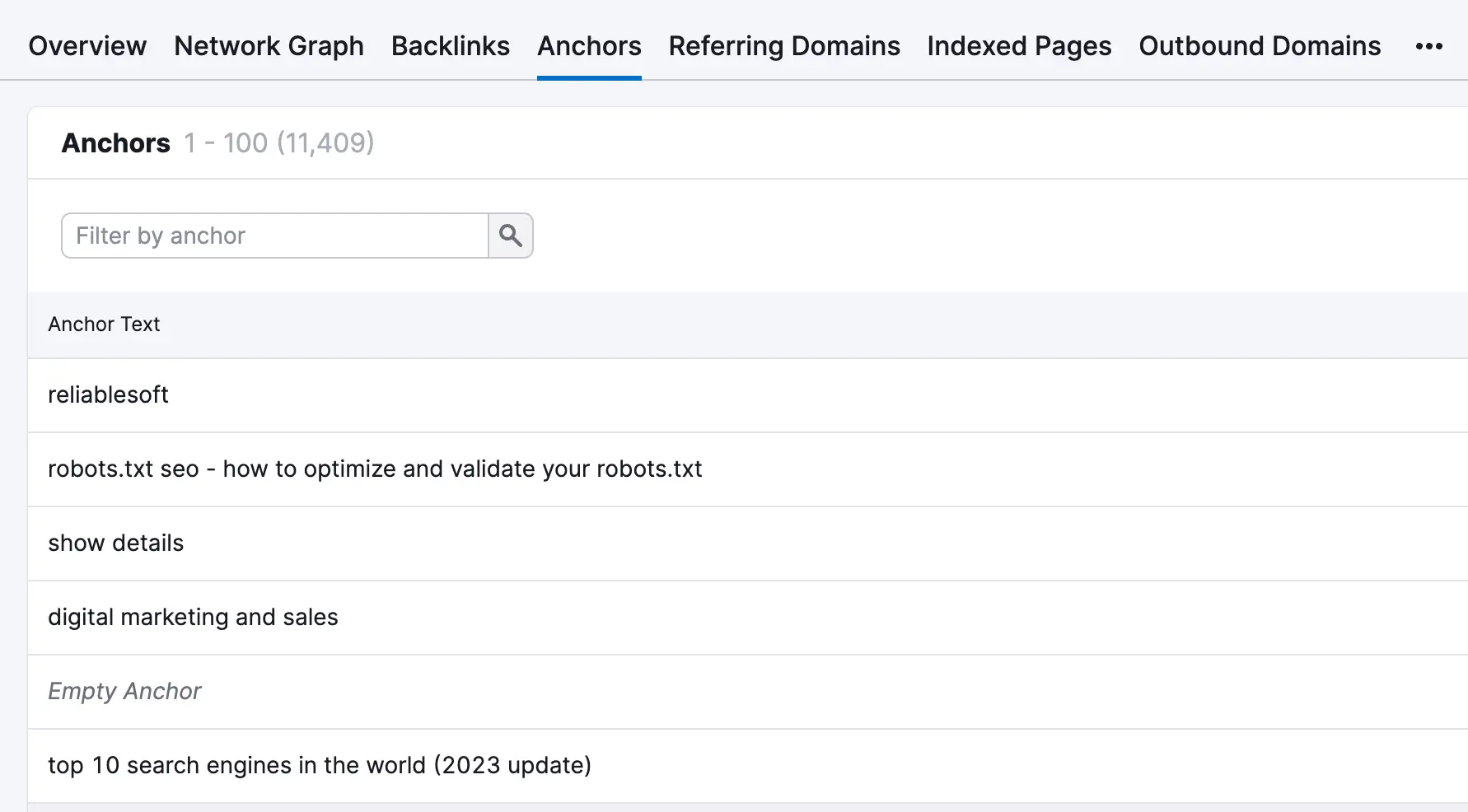
3. Check Anchor Text Distribution
The next thing to look at is variations in anchor text. Anchor text is the text part of a link shown to users and crawlers.
In a natural profile, anchor text should be diverse. This means having:
- Branded anchor text (like your website URL or brand name).
- Generic like “Click here”, “learn more”, etc.
- Matching exactly the page title.
- Keyword optimized like “digital marketing courses”.
- Long-tail anchor texts like “digital marketing and sales”.
Here is an example:
4. Check the Number of Linked Pages
Check which pages are receiving the most links. Ideally, backlinks should point to various internal pages, not just a few. This indicates that your content is valuable across different website sections and attracts links naturally.
If only particular pages have links, this could raise the suspicion that they were built artificially to manipulate search engine rankings.
5. Check the Number of No Follow Vs Do Follow Links

Normally, some links pointing to a website should have the no follow attribute. There is no exact percentage of the proportion of do follow vs. no follow links, but what is important is having a natural balance. Too many do follow links might appear suspicious to search engines, suggesting an attempt to manipulate rankings. A healthy mix of no follow and do follow links indicates that your backlinks are being acquired naturally, especially if these links are on pages that receive traffic.
How To Improve Your Backlink Profile?

If you haven’t engaged in unnatural link-building practices like link exchanges or buying links, you have nothing to worry about having an unhealthy link profile. Don’t be obsessed about measuring and analyzing your links; instead, focus on improving your link profile by: Get links from other relevant websites with a better link profile than your website. Reach out to niche-related blogs and websites and offer guest posts or collaborations. Focus on creating valuable, link-worthy content. Publish case studies, research data, free tools, free resources, and other linkable assets people want to link to.
Should You Remove Toxic Links from Your Profile?
When reviewing your link profile, you’ll come across toxic links. These are linking the SEO tools consider to be spammy or bad for your website. While Google has a disavow tool as part of Google Search Console, they recommend against using it for several reasons.
- It’s natural for a website to have some toxic links, which won’t hurt your rankings since Google has become very good at identifying and ignoring them.
- It can do more harm than Google because the way tools classify links as toxic is not the same as Google’s, so you may end up ‘removing’ good links.
So, you should not worry about toxic links, and you should only use the disavow tool if you have manual action for unnatural link practices.
For more information, read my guide on how to remove bad backlinks from Google.